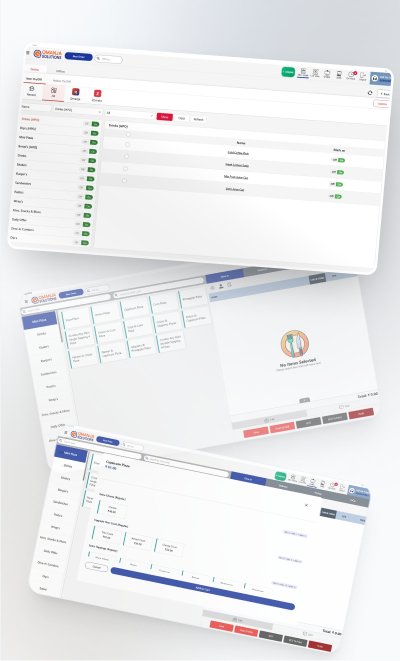
Restaurant billing software
Item-level tax, correct CGST/SGST or IGST split, HSN codes on the invoice, and a monthly tax summary your accountant can work from. Split a bill between guests or merge tables without leaving the screen.
Qmanja POS is restaurant POS billing software built for the way a kitchen actually runs. It takes the order, fires the KOT to the right station, applies GST at item level, prints a compliant bill, and records every sale where you can report on it — for dine-in, takeaway, delivery, in-car and pickup, from one screen.

Each channel carries different charges and different margin. Qmanja POS keeps them separate so your reports tell the truth rather than an average.
Tables, covers and course timing, with split or merged bills at settlement.
Counter-speed billing with packaging charges applied automatically.
Delivery fees and aggregator commission tracked separately from food margin.
Orders tied to a bay or vehicle so the runner knows exactly where to go.
Timed slots so the kitchen fires the order to be ready when the guest arrives.
App orders enter the same queue and fire the same KOT — no re-keying at peak.
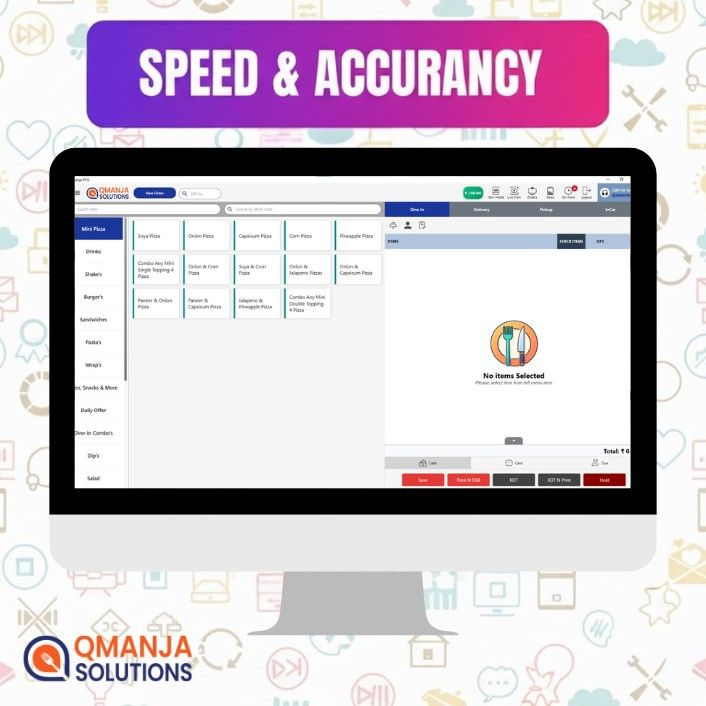
Count the taps from a seated guest to a fired KOT. That number, multiplied by every order, every day, is the real difference between one POS and another.

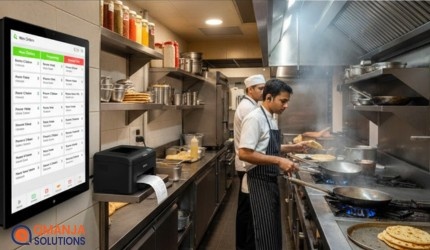

These are the questions that decide whether a POS helps or gets in the way. Ask them of every vendor you shortlist, including us.
| What to check | Qmanja POS | Typical POS |
|---|---|---|
| Billing during an internet outage | Keeps billing, syncs later | Often stops or degrades |
| KOT routing by kitchen station | Included | Single ticket, or a paid add-on |
| Margin by order type | Dine-in, delivery, pickup separated | Frequently averaged together |
| Inventory linked to recipes | Included | Counts packets, not dishes |
| Multi-outlet from one login | Included | Often a second licence to manage |
| Your own ordering app | Same queue, same KOT | Re-keyed by hand at peak |
| Full data export | On demand, no fee | Sometimes chargeable or refused |
| Support when service is running | 24×7, including evenings and weekends | Commonly office hours only |
“Typical POS” describes patterns common across the restaurant POS market in 2026, not any one named vendor. Confirm current terms with each supplier before deciding.
Same POS, configured for how each kind of kitchen actually works. Each setup has its own page with the problems specific to it.
Delivery-first, several brands from one kitchen, and margin tracked per channel so aggregator commission never hides inside food cost.
Counter speed, one-tap modifiers for size and milk, and instant repeat orders for the regulars who order the same thing every morning.
Throughput first: combos in one tap, token numbers issued automatically, and takeaway and delivery sharing one prioritised kitchen queue.
Weight-based billing, custom cake pre-orders with deposits, and festival pricing that switches on by itself instead of being re-entered under pressure.
Multiple counters under one roof, each with its own menu, stock and kitchen queue, rolling into one central settlement.
One menu pushed everywhere, each branch keeping its own stock, roster and day-end, all consolidated in a single dashboard.

Every item, variant, add-on and tax rate entered and checked before a single live bill is raised. This is the step most rollouts rush, and the one that causes the most pain later.

Billing terminal, receipt printer and kitchen printers configured, with KOT routing mapped to how your kitchen is actually laid out.
A Tuesday lunch, not a Saturday dinner. Your fastest cashier learns first and becomes the in-house expert the rest of the team asks.
We stay close through the first week — split bills, refunds, cancelled KOTs — then sit down with your first week of reports. That is when the system starts paying you back.
Cloud restaurant POS in India generally runs from a few hundred to a few thousand rupees per outlet per month, depending on outlets, terminals and modules such as inventory or online-order integration. Rather than publish a number that would not fit your setup, we quote against your actual menu and order volume — and we will tell you if you do not need half of it.
Software, updates, configuration, staff training and 24×7 support. No charge for software updates and no commission on your orders.
Hardware — billing terminal, thermal printer, cash drawer, kitchen printer. Most restaurants already own some of it, and we will tell you what you can reuse.
Lock your data in. You can export full transaction-level data on demand, in a standard format, at no cost — it is your sales history, not ours.
A restaurant POS system is the software and hardware that takes an order, sends it to the kitchen, prints a compliant bill, accepts payment and records the sale. A restaurant POS differs from a retail one because it also has to model tables, courses, modifiers, KOT routing by kitchen station, and order types such as dine-in, delivery and pickup that each price differently.
POS billing software is the application that turns an order into a priced, taxed bill and records the sale. In a restaurant it also fires the kitchen order ticket, applies the correct GST slab, tracks the payment mode, deducts stock against the recipe, and stores the transaction so it can be reported on later.
Yes. Billing and KOT printing keep working offline by storing transactions on the device and syncing the moment the connection returns, so a broadband outage never stops service. What genuinely needs connectivity is live reporting, multi-outlet consolidation and online-order aggregation.
Yes. Tax is applied at item level, the printed bill splits CGST and SGST or IGST correctly, HSN codes are carried on the invoice, and a monthly tax summary can be exported for your accountant.
For a single outlet with a prepared menu, one to three days covers configuration, hardware setup and staff training. Multi-outlet rollouts take longer because menus, tax settings and user roles are standardised across locations first.
A billing terminal or Android tablet, a thermal receipt printer and a cash drawer cover a basic counter. Busy kitchens add a dedicated kitchen printer or a kitchen display. Qmanja POS runs on Android tablets, Windows desktops and touch-screen billing counters, so most restaurants can start with hardware they already own.
Yes. A shared menu and pricing structure is pushed to every branch while each location keeps its own stock, roster and day-end. Owners see consolidated reporting across all outlets from a single login, which is what makes it workable for growing chains and franchises.
Yes, and it matters. Packaging charges, delivery fees and aggregator commission each land in their own bucket, so margin by order type stays accurate instead of being averaged into one misleading number.
Yes. Stock is mapped to recipes, so selling forty plates deducts the right quantity of each ingredient. Comparing theoretical against actual consumption is how you spot wastage and pilferage instead of guessing at it.
Cloud restaurant POS in India typically runs from a few hundred to a few thousand rupees per outlet per month, depending on outlets, terminals and add-on modules such as inventory or online-order integration. Hardware is a separate one-time cost. Qmanja POS is quoted per outlet against your actual menu and order volume rather than from a fixed price list.
Smart POS System Built for Restaurants
Manage orders, billing, KOT, inventory, and reports seamlessly
all in one powerful restaurant POS system.
 Dine-In, In-Car, Delivery & Pickup
 Smart Billing & Tax
 KOT & Kitchen Workflow
 Inventory & Reports
 Fast Order Processing