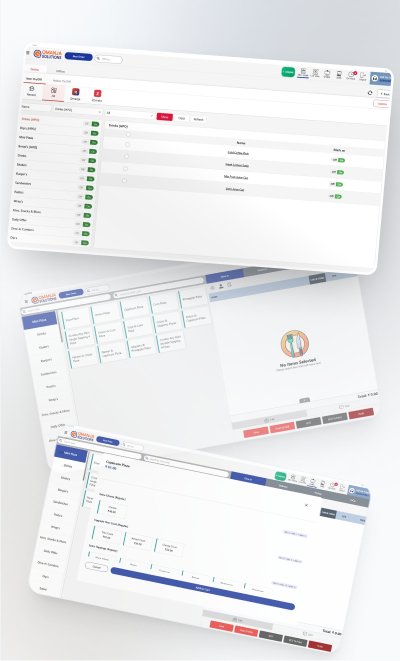
Weight-based billing
Weighed items price straight from the scale, no counter arithmetic.
A bakery bills differently to a restaurant. Half of what you sell is weighed rather than counted, a good share is ordered days in advance, and a handful of weeks in the year carry a disproportionate amount of the revenue. Qmanja POS handles weight-based items, advance orders with deposits, and seasonal pricing without rebuilding the menu each festival.

Weighed items price straight from the scale, no counter arithmetic.
Pickup date, customisation notes and deposit recorded, surfaced on the day.
Seasonal menus and combos scheduled ahead so they switch on by themselves.
The counter keeps working through a network drop and syncs afterwards.
What was baked against what sold, so end-of-day waste stops being invisible.
Item-level tax with correct HSN codes on every bill.
Qmanja POS is a cloud system, so you get remote access, automatic updates and multi-outlet reporting. But billing does not depend on the cloud: transactions are stored on the device and sync the moment the connection returns. A broadband problem slows your reports, never your counter.
Festival weeks are exactly when the network is most loaded and least forgiving, and they are also when most of the year's revenue arrives. Weighed items and advance-order pickups keep billing regardless.
| Function | Online | Internet down |
|---|---|---|
| Billing & printing a bill | Yes | Keeps working |
| KOT to the kitchen | Yes | Keeps working |
| Stock deduction | Yes | Queued, applied on sync |
| Live dashboard & reports | Yes | Resumes after sync |
| Multi-outlet consolidation | Yes | Resumes after sync |
| Online / aggregator orders | Yes | Needs connectivity |
Bakery POS software is a billing system that supports weight-based items, advance and custom orders, and seasonal pricing alongside normal counter billing. It prices weighed goods directly, tracks cake pre-orders with pickup dates and deposits, and records production against sales so daily wastage is visible.
Yes. Weighed items are priced per kilogram or per gram and bill directly from the weight entered or read at the counter, so half-kilo and odd-weight sales are accurate without manual calculation.
Yes. An advance order records the pickup date, the customisation detail and any deposit collected, then appears on the production list for that day so it is not missed.
Yes. Seasonal menus, combos and pricing can be scheduled in advance and switch on and off automatically, rather than being re-entered by hand during your busiest week.
The same POS, configured for how each kind of kitchen actually works.
The full feature list: tables, courses, split bills and station-routed KOTs.
Built for Delivery-First Kitchens
Where the Queue Is the Constraint
Built for the Counter Rush
Many Counters, One Settlement
Billing that keeps running when the internet does not.
Live sales and multi-outlet reporting from one cloud dashboard.
Item-level GST, split bills and a monthly tax summary.
Smart POS System Built for Restaurants
Manage orders, billing, KOT, inventory, and reports seamlessly
all in one powerful restaurant POS system.
 Dine-In, In-Car, Delivery & Pickup
 Smart Billing & Tax
 KOT & Kitchen Workflow
 Inventory & Reports
 Fast Order Processing