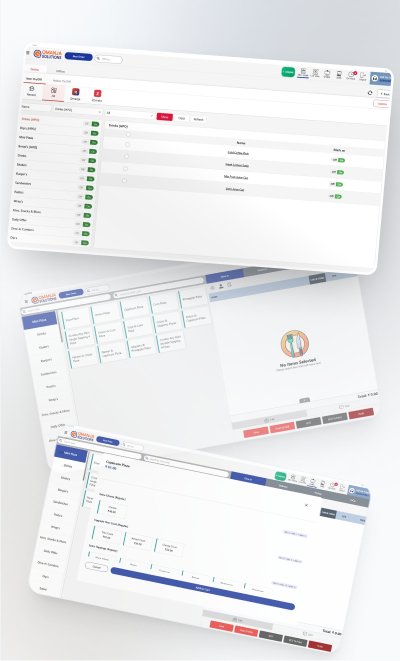
One-tap modifiers
Size, milk, shots and syrups adjust price and stock in a single tap, no free-text notes.
In a café the bottleneck is the counter. Tickets are small, orders repeat, and every extra tap between a customer asking and a cup being made costs you covers at the busiest hour of the day. Qmanja POS is tuned for that: modifiers priced in one tap, repeat orders recalled instantly, and billing that never stops because the Wi-Fi did.

Size, milk, shots and syrups adjust price and stock in a single tap, no free-text notes.
A regular's usual recalled in one tap instead of a fresh trip through the menu.
The counter keeps moving through a network drop and syncs afterwards.
Item-level tax, correct CGST/SGST split and HSN codes on every bill.
See your real peaks so the roster matches the rush instead of guessing.
Recipe-linked consumption exposes the spoilage that small tickets hide.
Qmanja POS is a cloud system, so you get remote access, automatic updates and multi-outlet reporting. But billing does not depend on the cloud: transactions are stored on the device and sync the moment the connection returns. A broadband problem slows your reports, never your counter.
At a cafe counter a thirty-second outage is a queue out of the door. Billing that continues offline is the difference between a slow minute and a lost morning rush.
| Function | Online | Internet down |
|---|---|---|
| Billing & printing a bill | Yes | Keeps working |
| KOT to the kitchen | Yes | Keeps working |
| Stock deduction | Yes | Queued, applied on sync |
| Live dashboard & reports | Yes | Resumes after sync |
| Multi-outlet consolidation | Yes | Resumes after sync |
| Online / aggregator orders | Yes | Needs connectivity |
Café POS software is a billing system tuned for high-frequency, small-ticket counter service. It prices modifiers such as size, milk type and extra shots in a single tap, recalls repeat orders quickly, prints a GST-compliant bill, and records the sale for reporting.
Yes. Modifiers are configured per item and adjust both the price and the recipe-level stock deduction, so an oat-milk large is priced correctly and deducts the right quantity of oat milk.
Yes. Transactions are stored on the device and sync when the connection returns, so a broadband outage never stops the counter.
Yes. It is priced per outlet and configured against your menu, so a single café pays for one outlet and gets the same billing, KOT and reporting a chain uses.
The same POS, configured for how each kind of kitchen actually works.
The full feature list: tables, courses, split bills and station-routed KOTs.
Built for Delivery-First Kitchens
Weight Billing, Pre-Orders and Festival Peaks
Built for the Counter Rush
Many Counters, One Settlement
Billing that keeps running when the internet does not.
Live sales and multi-outlet reporting from one cloud dashboard.
Item-level GST, split bills and a monthly tax summary.
Smart POS System Built for Restaurants
Manage orders, billing, KOT, inventory, and reports seamlessly
all in one powerful restaurant POS system.
 Dine-In, In-Car, Delivery & Pickup
 Smart Billing & Tax
 KOT & Kitchen Workflow
 Inventory & Reports
 Fast Order Processing