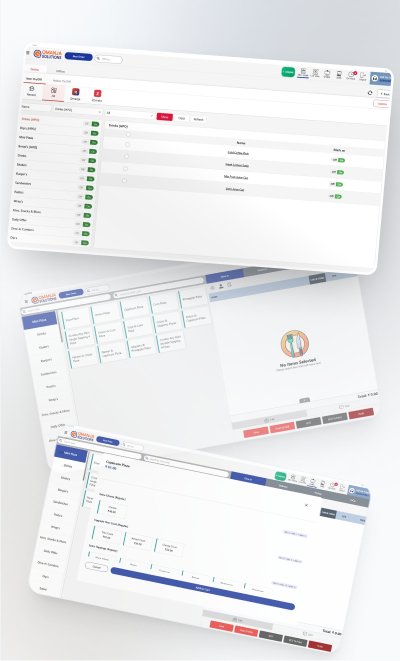
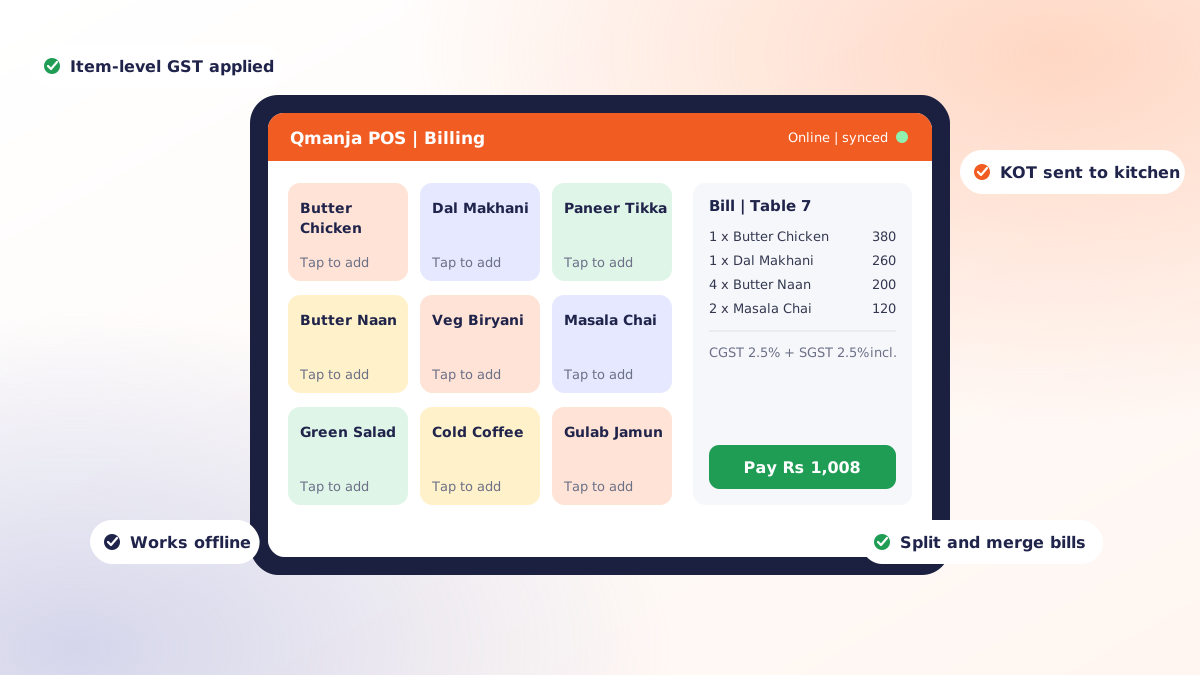
POS billing software is the application that turns an order into a priced, taxed bill and records the sale. In a restaurant it does more than print a receipt: it fires the kitchen order ticket, applies the right GST slab, tracks whether the guest paid by cash, card or UPI, deducts ingredients from stock, and files the transaction where you can report on it later.
If you are still billing on a calculator and a duplicate book, the gap is not just speed. It is that nothing you sell leaves a trace you can analyse. This guide covers what the software actually does, which features matter in a restaurant specifically, what it costs, and how to switch without ruining a Friday night service.
What POS billing software actually does
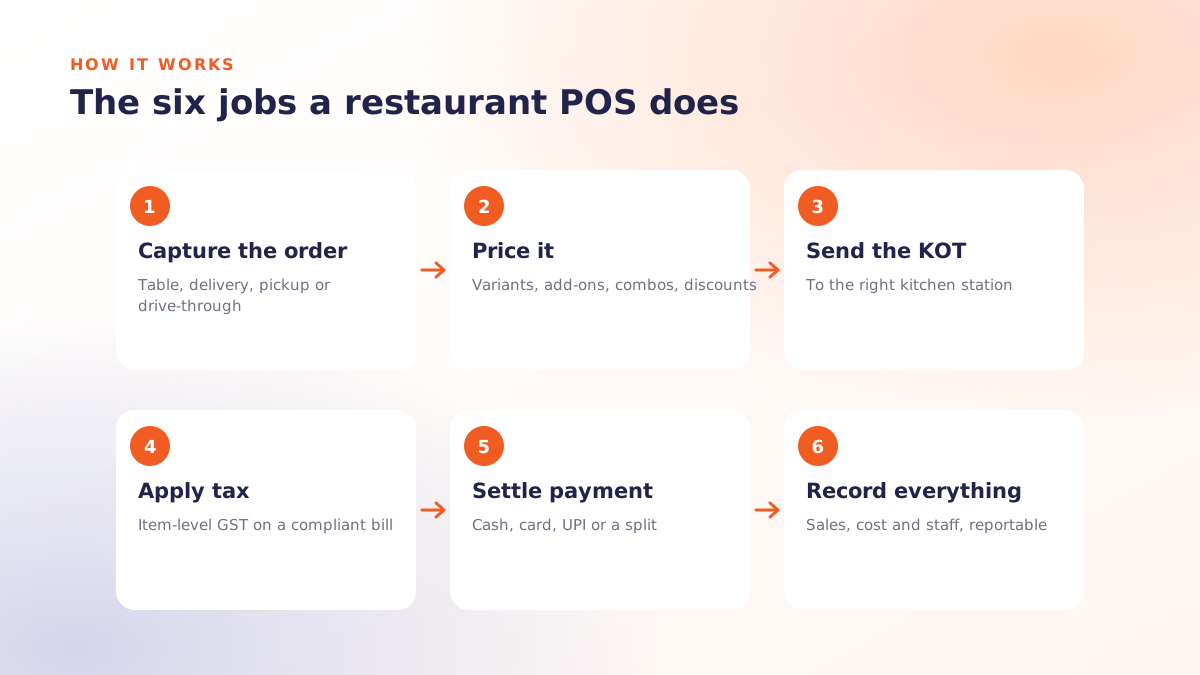
Strip away the marketing and a restaurant POS performs six jobs:
- Captures the order against a table, a delivery address, a pickup slot or a drive-through lane.
- Prices it correctly, including variants, add-ons, combos, happy-hour rates and discounts.
- Sends a KOT to the right kitchen station so the pass knows what to cook and in what order.
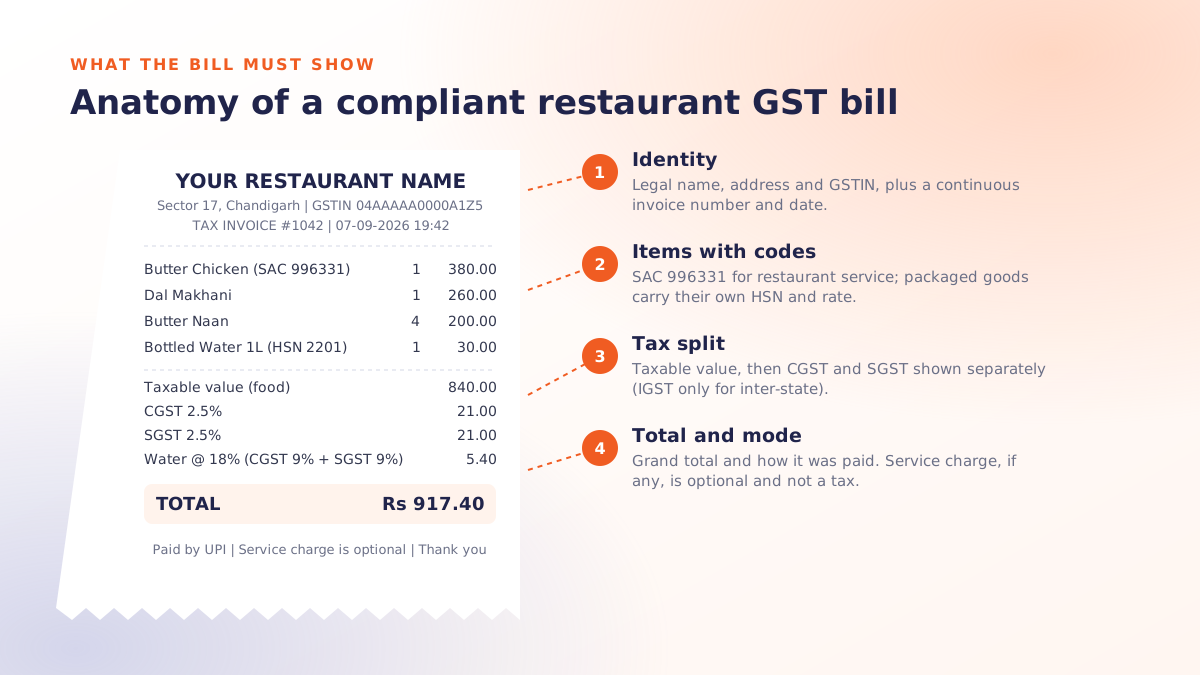
- Applies tax at item level and prints a compliant bill — see POS billing software.
- Settles payment across cash, card, UPI, wallet or a split between them.
- Records everything so you can see what sold, what it cost, and who was on shift.
The last one is where most of the value hides. A month of clean POS data tells you which dishes carry your margin and which ones only look busy.
The features that matter in a restaurant
KOT and kitchen routing
A generic retail POS prints a bill. A restaurant POS splits one order across stations, so the tandoor gets the breads and the cold section gets the salads, each on its own ticket, timed so plates arrive together. If a POS cannot route KOTs by station, it will slow your kitchen down rather than speed it up.
Order types beyond dine-in
Dine-in, takeaway, delivery, in-car and pickup each price and behave differently. Packaging charges, delivery fees and platform commissions all need to land in the right bucket, or your reports will quietly lie to you.
GST-ready billing
Item-level tax rates, correct CGST/SGST or IGST splitting, HSN codes on the invoice, and a monthly tax summary. This is the difference between an evening of reconciliation and a five-minute export for your accountant.
Inventory that ties back to recipes
Useful stock control does not just count packets. It maps a dish to its recipe, so selling forty plates of butter chicken deducts the right quantity of gravy, chicken and cream. That is how you spot wastage and pilferage instead of guessing at it.
Reporting you will actually open
Daily sales, hourly footfall, top and bottom sellers, discount usage by staff member, and payment mix. If a report takes more than two clicks to reach, nobody in a busy restaurant will ever read it.
What it costs
Pricing in India generally follows one of three shapes:
| Model | How it is billed | Suits |
|---|---|---|
| Per outlet, per month | A flat subscription per location, terminals included | Single restaurants and small chains |
| Per terminal, per month | Each billing screen is charged separately | Large floors with many counters |
| One-time licence | Paid upfront, with an annual maintenance charge | Owners who prefer capex to a subscription |
Whichever shape you are quoted, ask three questions before you sign: is support included or billed hourly, are software updates free, and what happens to your data if you leave. The answers vary far more than the headline price does.
Hardware is separate. A basic setup is a billing terminal or tablet, a thermal receipt printer, a cash drawer and, if you are doing volume, a dedicated kitchen printer.
Signs your current billing is costing you money
- You cannot answer "what were last Tuesday's top five dishes" without opening a physical register.
- Bill and kitchen ticket disagree often enough that staff have a workaround for it.
- Stock is counted monthly, and the count is always a surprise.
- Discounts happen at the counter with no record of who approved them.
- Closing the day takes longer than plating the last order.
Each of these is a symptom of the same thing: the sale is being recorded as paper rather than as data.
How to switch without disrupting service
The migration itself is rarely the hard part; the staffing is. A sequence that works:
- Build the menu first. Every item, variant, add-on and tax rate entered and checked before a single live bill is raised.
- Train on a slow shift. A Tuesday lunch, not a Saturday dinner. Let your fastest cashier learn it first and become the in-house expert.
- Run parallel for two or three days. Old method as backup, new system as primary. It costs a little duplication and buys a lot of confidence.
- Go fully live, keep support close. The first week generates all the edge cases: a split bill, a refund, a cancelled KOT, a walk-out.
- Review reports at the end of week one. This is when the system starts paying you back rather than costing you.
Where Qmanja POS fits
Qmanja POS is built specifically for restaurants rather than adapted from retail. It handles dine-in, in-car, delivery and pickup as first-class order types, routes KOTs by kitchen station, applies GST at item level, and reports on sales, inventory and staff performance from one dashboard. It also connects to the rest of the stack you may already run with us, including a customer ordering app and digital menu boards, so a price change flows to the counter, the app and the screens at the same time.
If you want to see it against your own menu rather than a demo dataset, book a free demo and we will set it up with your items.
 Dine-In, In-Car, Delivery & Pickup
 Smart Billing & Tax
 KOT & Kitchen Workflow
 Inventory & Reports
 Fast Order Processing