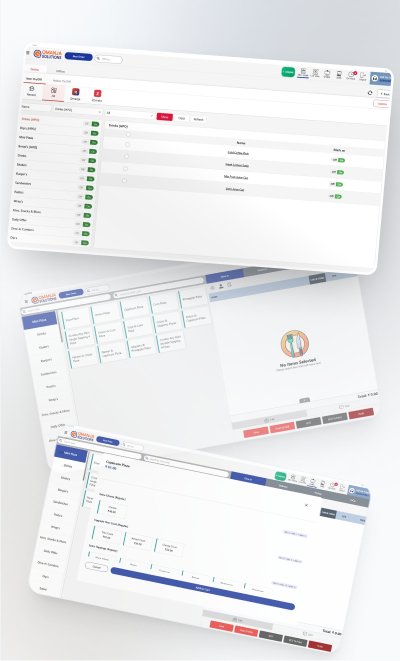
Per-counter setup
Separate menu, pricing, stock and kitchen queue for every counter.
A food court is several kitchens sharing one dining floor and one set of customers. The billing problem is not complexity at any one counter — it is keeping counters independent operationally while still settling and reporting centrally. Qmanja POS gives each counter its own menu, stock and kitchen queue, and gives the operator one consolidated view across all of them.

Separate menu, pricing, stock and kitchen queue for every counter.
All counters roll into one settlement while keeping their own numbers underneath.
Numbers on the bill and on a display so shared seating still works.
Counters bill independently through a network drop and sync afterwards.
Revenue, covers and average ticket per counter, side by side.
Counter staff see only their own counter; the operator sees everything.
Qmanja POS is a cloud system, so you get remote access, automatic updates and multi-outlet reporting. But billing does not depend on the cloud: transactions are stored on the device and sync the moment the connection returns. A broadband problem slows your reports, never your counter.
Each counter bills independently, so one counter losing its connection never turns into a venue-wide outage across the whole floor.
| Function | Online | Internet down |
|---|---|---|
| Billing & printing a bill | Yes | Keeps working |
| KOT to the kitchen | Yes | Keeps working |
| Stock deduction | Yes | Queued, applied on sync |
| Live dashboard & reports | Yes | Resumes after sync |
| Multi-outlet consolidation | Yes | Resumes after sync |
| Online / aggregator orders | Yes | Needs connectivity |
Food court POS software runs several independent counters under one venue. Each counter keeps its own menu, stock and kitchen queue, while the operator gets consolidated settlement and reporting across all of them from a single dashboard.
Yes. Counters are configured independently, so menus, pricing and inventory never overlap, and one counter's ticket queue never appears on another's screen.
Yes. Sales roll up across every counter for a single day-end and reconciliation, with per-counter revenue, order count and average ticket available underneath.
Token numbers are printed on the bill and can be shown on a counter display, which is what makes shared seating workable without staff calling out names.
The same POS, configured for how each kind of kitchen actually works.
The full feature list: tables, courses, split bills and station-routed KOTs.
Built for Delivery-First Kitchens
Where the Queue Is the Constraint
Weight Billing, Pre-Orders and Festival Peaks
Built for the Counter Rush
Billing that keeps running when the internet does not.
Live sales and multi-outlet reporting from one cloud dashboard.
Item-level GST, split bills and a monthly tax summary.
Smart POS System Built for Restaurants
Manage orders, billing, KOT, inventory, and reports seamlessly
all in one powerful restaurant POS system.
 Dine-In, In-Car, Delivery & Pickup
 Smart Billing & Tax
 KOT & Kitchen Workflow
 Inventory & Reports
 Fast Order Processing