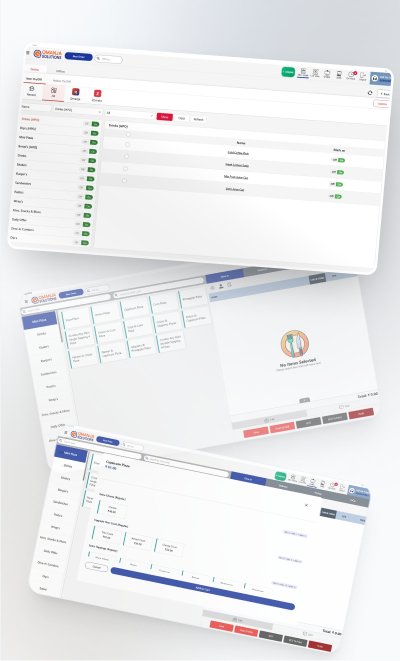
Cloud dashboard
Live sales, orders and payment mix from any browser or phone.
Online POS software means the counter and the owner are looking at the same data. Qmanja POS is cloud-based: change a price once and it reaches every outlet, check today's sales from your phone, and see which branch is running which promotion without calling anyone. The cloud is what gives you the view; the device is what guarantees the billing.

Live sales, orders and payment mix from any browser or phone.
Shared menu and pricing pushed everywhere, each branch keeping its own stock and day-end.
New versions arrive without anyone touching a terminal mid-service.
Compare revenue, average ticket and item mix between outlets in one view.
If the line drops, billing continues on the device and syncs afterwards.
Round-the-clock help, because service hours are exactly when problems surface.
Qmanja POS is a cloud system, so you get remote access, automatic updates and multi-outlet reporting. But billing does not depend on the cloud: transactions are stored on the device and sync the moment the connection returns. A broadband problem slows your reports, never your counter.
Cloud gives you the view across outlets; the device guarantees the bill. Qmanja POS does both rather than asking you to choose.
| Function | Online | Internet down |
|---|---|---|
| Billing & printing a bill | Yes | Keeps working |
| KOT to the kitchen | Yes | Keeps working |
| Stock deduction | Yes | Queued, applied on sync |
| Live dashboard & reports | Yes | Resumes after sync |
| Multi-outlet consolidation | Yes | Resumes after sync |
| Online / aggregator orders | Yes | Needs connectivity |
Online POS software, also called cloud POS, stores sales data on a hosted server rather than only on the billing machine. That lets an owner see live sales remotely, push menu and price changes to every outlet at once, and compare branches from a single dashboard.
Online POS keeps data in the cloud so it can be reached from anywhere; offline POS bills without a connection. They are not alternatives. Qmanja POS is a cloud system whose billing path also runs locally, so you get remote visibility and uninterrupted billing.
Yes. Live sales, order count, payment mix and item performance are available from any browser, so you do not need to be at the outlet to know how the day is going.
Yes. Menu and pricing are pushed centrally to every branch, while each outlet keeps its own stock, roster and day-end underneath.
The same system, looked at from a different angle.
The full feature list: tables, courses, split bills and station-routed KOTs.
Billing That Does Not Stop
GST-Ready, Counter-Fast
Smart POS System Built for Restaurants
Manage orders, billing, KOT, inventory, and reports seamlessly
all in one powerful restaurant POS system.
 Dine-In, In-Car, Delivery & Pickup
 Smart Billing & Tax
 KOT & Kitchen Workflow
 Inventory & Reports
 Fast Order Processing