Item-level GST
Per-item rates with a correct CGST and SGST or IGST split on the printed invoice.
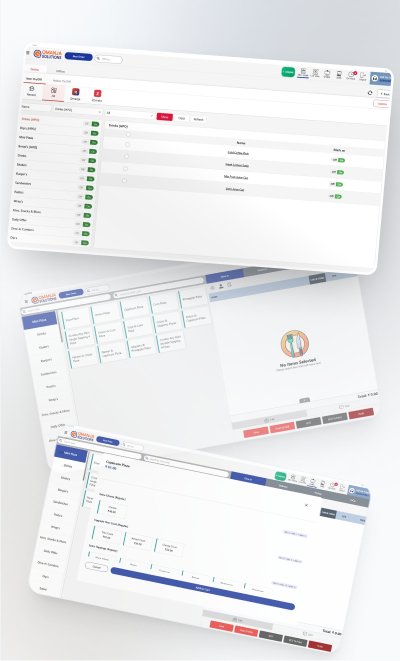
Restaurant billing software turns an order into a priced, taxed bill, sends the kitchen its ticket and records the sale so you can report on it later. Qmanja's restaurant billing system does that at counter speed and with the tax detail an Indian restaurant actually needs: item-level rates, a correct CGST and SGST or IGST split, HSN codes on the invoice, and a monthly summary your accountant can work from without re-typing anything. It is the same POS billing software whether you run a dine-in restaurant, a cafe, a sweet shop or a fast food counter.

Per-item rates with a correct CGST and SGST or IGST split on the printed invoice.
Carried on the invoice so the document is complete when your accountant sees it.
Split by guest, item or share, or merge tables, all at settlement.
Cash, card, UPI and wallet can settle one bill between them, each recorded separately.
Exports directly for filing, so nothing is copied out by hand.
Bills print and record with no connection and sync when the line returns.
Qmanja POS is a cloud system, so you get remote access, automatic updates and multi-outlet reporting. But billing does not depend on the cloud: transactions are stored on the device and sync the moment the connection returns. A broadband problem slows your reports, never your counter.
Billing is the one thing that can never wait for a network, which is why it runs on the device first and syncs afterwards.
| Function | Online | Internet down |
|---|---|---|
| Billing & printing a bill | Yes | Keeps working |
| KOT to the kitchen | Yes | Keeps working |
| Stock deduction | Yes | Queued, applied on sync |
| Live dashboard & reports | Yes | Resumes after sync |
| Multi-outlet consolidation | Yes | Resumes after sync |
| Online / aggregator orders | Yes | Needs connectivity |
Restaurant billing software is the application that converts an order into a priced, taxed bill and records the sale. In a restaurant it also fires the kitchen order ticket (KOT), applies the correct GST slab per item, captures the payment mode, deducts stock against the recipe, and stores the transaction for reporting. It is also called POS billing software or a restaurant billing system; they mean the same thing.
In practice, yes. A POS (point of sale) is the counter system that takes orders and payments; the billing system is the part of it that prices, taxes and prints the bill. Qmanja POS includes billing, KOT, stock, staff and reporting in one product, so nothing is bought separately.
Yes. Tax is applied at item level, the printed bill splits CGST and SGST or IGST correctly, HSN codes are carried on the invoice, and a monthly tax summary can be exported for filing.
Yes. A bill can be split by guest, by item or by an arbitrary share, and separate tables can be merged into a single bill, all handled at settlement rather than by re-entering the order.
Qmanja POS is priced per outlet against your menu size and order volume. Cloud restaurant billing software in India generally runs from a few hundred to a few thousand rupees per outlet per month; hardware such as a billing printer is a separate one-time cost. Book a free demo for a quote on your setup.
Yes. Bills are priced, taxed and printed on the device, so billing continues through an outage and syncs to the cloud once the connection returns.
The same system, looked at from a different angle.
The full feature list: tables, courses, split bills and station-routed KOTs.
Billing That Does Not Stop
Your Whole Estate, One Dashboard
Smart POS System Built for Restaurants
Manage orders, billing, KOT, inventory, and reports seamlessly
all in one powerful restaurant POS system.
 Dine-In, In-Car, Delivery & Pickup
 Smart Billing & Tax
 KOT & Kitchen Workflow
 Inventory & Reports
 Fast Order Processing