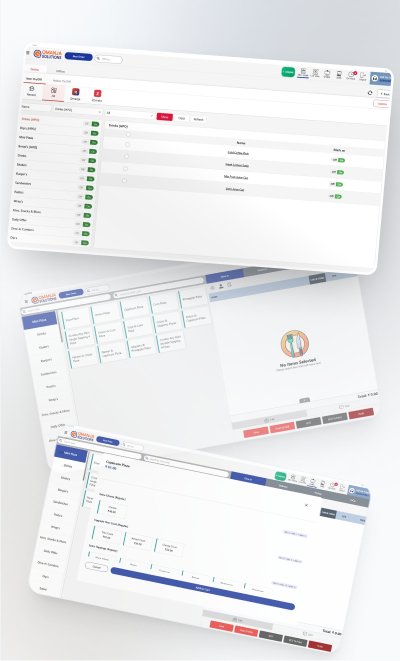
Multi-brand menus
Separate menus, pricing and reporting per virtual brand, from one kitchen and one licence.
A cloud kitchen has no dining room, no walk-ins and no captain — every rupee arrives through a delivery channel, and every channel takes a different cut. Qmanja POS is set up for that: several brands running out of one kitchen, orders from aggregators and your own app landing in the same queue, and margin tracked per channel so commission never hides inside food cost.
Separate menus, pricing and reporting per virtual brand, from one kitchen and one licence.
Aggregator commission, packaging and delivery charges kept out of food cost so the numbers stay honest.
Orders keep processing through a network drop and sync the moment the line returns.
All brands and all channels feed one prioritised ticket queue, so the line cooks see one list.
Consumption deducted per dish, with low-stock items pulled from the menu before you oversell.
Revenue, order count and margin by brand, by channel and by hour.
Qmanja POS is a cloud system, so you get remote access, automatic updates and multi-outlet reporting. But billing does not depend on the cloud: transactions are stored on the device and sync the moment the connection returns. A broadband problem slows your reports, never your counter.
For a delivery-only kitchen this matters more than it does anywhere else: there is no walk-in queue to fall back on, so a till that stops is a shift that stops.
| Function | Online | Internet down |
|---|---|---|
| Billing & printing a bill | Yes | Keeps working |
| KOT to the kitchen | Yes | Keeps working |
| Stock deduction | Yes | Queued, applied on sync |
| Live dashboard & reports | Yes | Resumes after sync |
| Multi-outlet consolidation | Yes | Resumes after sync |
| Online / aggregator orders | Yes | Needs connectivity |
Cloud kitchen POS software is a billing and order-management system built for delivery-only kitchens. Unlike a dine-in POS it has no table management; instead it handles multiple virtual brands from one kitchen, ingests orders from aggregators and your own app into a single queue, and reports margin per channel after commission.
Yes. Each brand keeps its own menu, pricing and reports while the kitchen works from one consolidated ticket queue. Owners see per-brand revenue and margin without maintaining separate systems.
Yes. Billing and KOT printing continue offline by storing transactions on the device, and everything syncs automatically once the connection returns. Only live dashboards and aggregator intake need connectivity.
Yes. Commission, packaging and delivery fees are recorded against the channel rather than folded into food cost, so you can compare what an order on each platform actually leaves you with.
The same POS, configured for how each kind of kitchen actually works.
The full feature list: tables, courses, split bills and station-routed KOTs.
Where the Queue Is the Constraint
Weight Billing, Pre-Orders and Festival Peaks
Built for the Counter Rush
Many Counters, One Settlement
Billing that keeps running when the internet does not.
Live sales and multi-outlet reporting from one cloud dashboard.
Item-level GST, split bills and a monthly tax summary.
Smart POS System Built for Restaurants
Manage orders, billing, KOT, inventory, and reports seamlessly
all in one powerful restaurant POS system.
 Dine-In, In-Car, Delivery & Pickup
 Smart Billing & Tax
 KOT & Kitchen Workflow
 Inventory & Reports
 Fast Order Processing