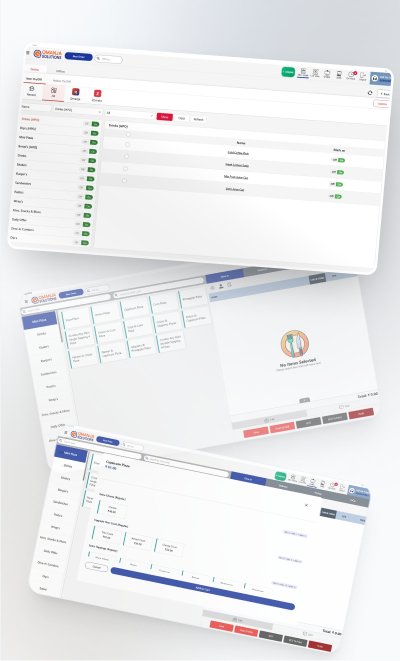
Restaurant billing software is the system at your counter that prices an order, applies GST, prints the bill and the kitchen ticket, takes the payment and records all of it. Whether you call it a restaurant billing system, POS billing software or just "the billing machine", it is the one piece of software every food business in India ends up buying. This guide covers what it should do, what it costs, and how to pick one you will still be using in three years.
What restaurant billing software actually does
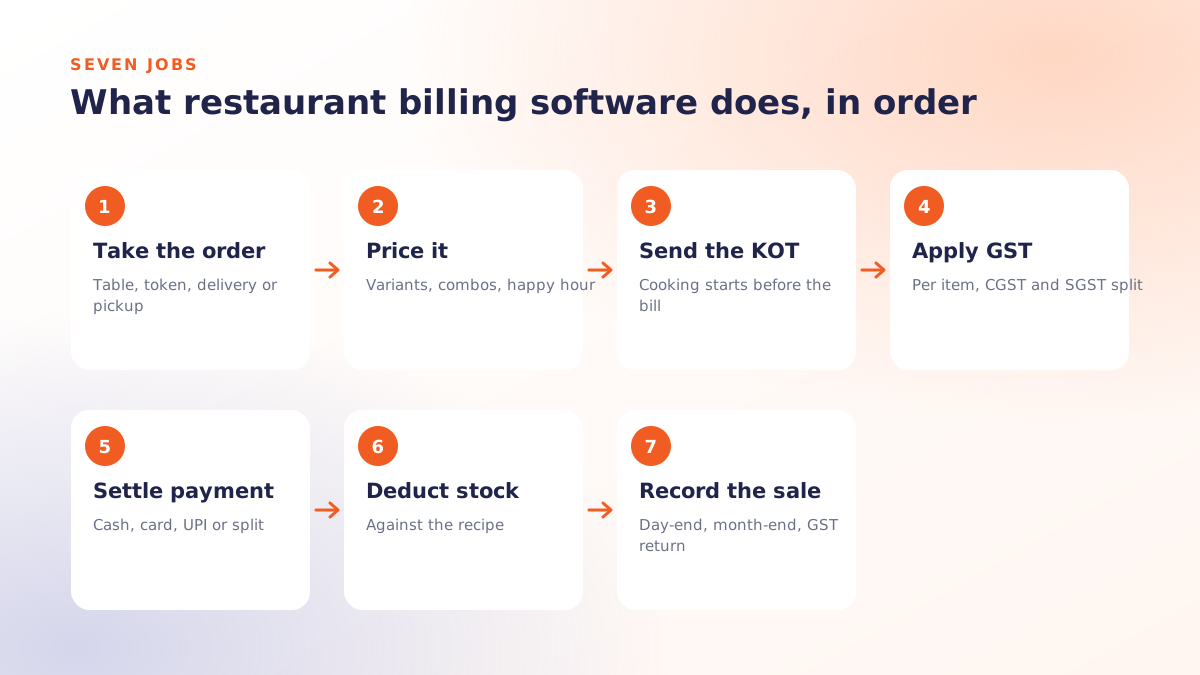
Strip away the brochure and a billing system does seven jobs, in this order, several hundred times a day:
- Takes the order against a table, a token number, a delivery address or a pickup slot.
- Prices it, including variants (half or full), add-ons, combos, happy-hour rates and discounts.
- Sends the KOT to the right kitchen station so cooking starts before the bill is even printed.
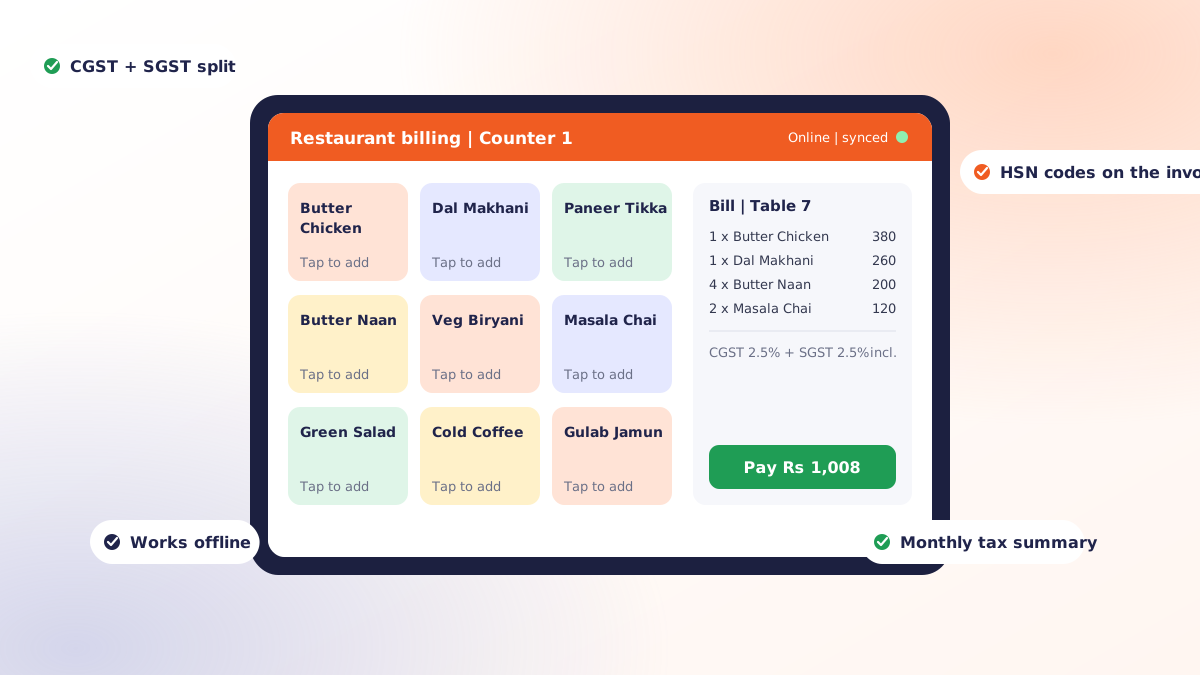
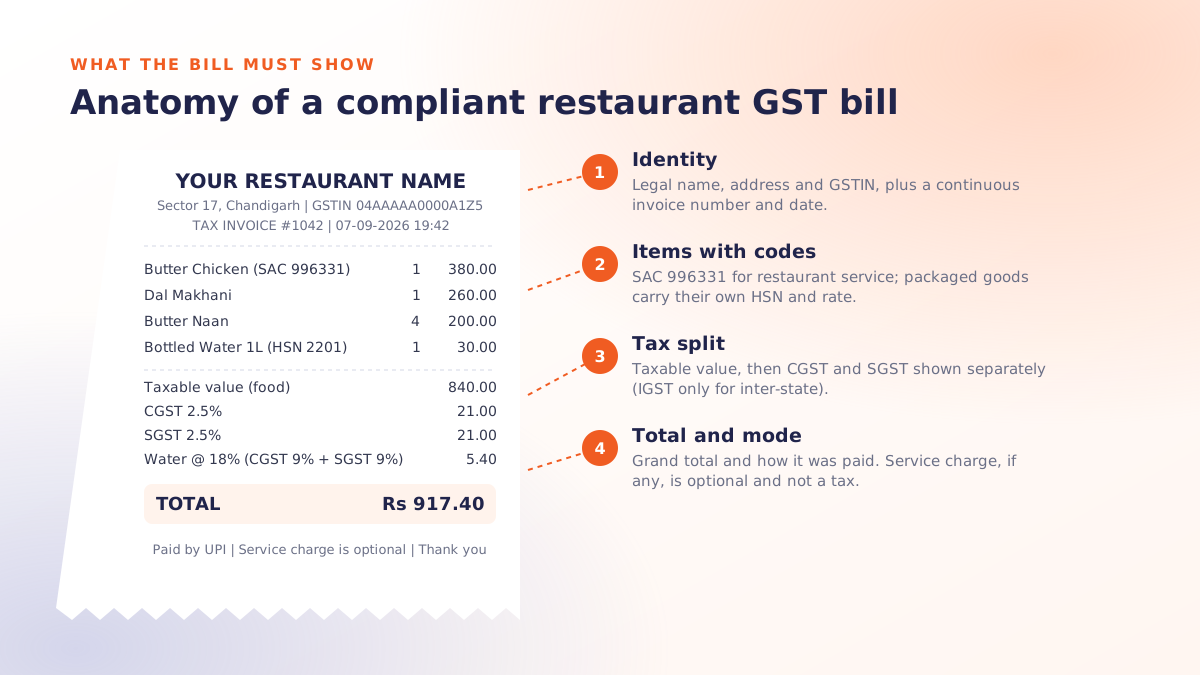
- Applies GST at item level and prints a compliant invoice with the CGST and SGST split and HSN codes.
- Settles the payment across cash, card, UPI or a split between them.
- Deducts stock against the recipe, so forty plates of dal makhani reduce the dal, cream and butter on hand.
- Records the sale so the day-end, the month-end and the GST return come out of a report rather than a register.
Most owners buy for job four. They stay for job seven. A month of clean billing data is the first honest look most restaurants get at which dishes carry the margin and which hours only look busy.
Billing system, POS, accounting software: what is the difference?
The words get used interchangeably, which makes comparing quotes harder than it should be. Here is how they actually divide up.
| System | What it does | Who uses it |
|---|---|---|
| Restaurant billing software / billing system | Prices, taxes and prints the bill; fires the KOT; records the payment | Cashier, captain, counter staff |
| Restaurant POS | Everything above plus tables, stock, staff, online orders and reporting | Owner, manager, kitchen |
| Accounting software | Turns sales totals into ledgers, GST returns and financial statements | Accountant or CA |
In 2026 almost every serious product sold as restaurant billing software is really a POS with billing as its front screen. The useful question is not "billing or POS?" but "does the billing screen do the seven jobs above quickly, and does the rest of the system give me reports I will actually read?"
The features that matter
GST at item level
A plain restaurant service is taxed at one rate, but packaged water, a bottled drink or a retail item on the same bill may not be. Tax must be configured per item, split into CGST and SGST (or IGST) on the printed bill, carry HSN or SAC codes, and roll up into a monthly summary. If the software cannot do this, your accountant will do it by hand and charge you for it. The detail is in our GST billing guide for restaurants.
KOT and kitchen routing
A retail billing system prints a receipt. A restaurant billing system splits one order across stations so the tandoor gets the breads and the wok gets the noodles, each on its own ticket, timed to arrive together. Without this the software slows the kitchen down instead of speeding it up. See how a KOT system works.
Every order type, priced correctly
Dine-in, takeaway, delivery, aggregator orders and pickup each carry different charges: packaging, delivery fees, platform commission. The billing system needs to put each in the right bucket or your reports will quietly lie.
Split and merge bills
A table of six wants to pay separately; two tables want one bill. Both should happen at settlement, not by cancelling and re-ringing the order, which is how discounts and "adjustments" start disappearing from the record.
Offline billing
Broadband drops. The billing system must keep pricing, printing and recording on the device and sync later. A product that stops billing when the internet stops is not a billing system, it is a web page. More on this in offline POS software.
Stock that ties back to recipes
Counting packets is not stock control. Mapping a dish to its recipe, so a sale deducts the right ingredients, is what lets you spot wastage and pilferage instead of guessing at them.
Reports you will open
Sales by hour, by item, by payment mode and by staff member. Void and discount logs with reasons and names. A day-end that matches the cash drawer and the UPI settlement. If the report needs an export to Excel before it makes sense, it will not get looked at.
Features you can ignore at first
Loyalty programmes, CRM campaigns, table reservation, a dozen integrations. Useful later; irrelevant in month one. A billing system is judged on how fast the fastest cashier can clear the queue on a Saturday night and how little time the owner spends on month-end. Buy for those two things, and add the rest when you have data to justify it.
What restaurant billing software costs in India
Three components, always: software, hardware and services.
- Software. Cloud products charge per outlet per month, typically a few hundred to a few thousand rupees depending on terminals and modules. Older desktop products sell a one-time licence, then charge for updates and support.
- Hardware. A billing tablet or PC, one thermal printer at the counter and one per kitchen station, optionally a cash drawer and a token display. Usually a one-time cost you can spread across suppliers.
- Services. Menu setup, training, integrations, and support after go-live. Ask whether these are included, because the cheapest quote is often the one that leaves them out.
A full breakdown with typical figures is in restaurant billing software price in India. If the quote is zero, read what free billing software costs you first.
How to choose: a ten-minute checklist
- Ring up your five most common orders on the demo, including one with a modifier and one combo. Count the taps.
- Switch the internet off and bill again. If it stops, walk away.
- Print a bill and check it: GSTIN, CGST and SGST lines, HSN codes, invoice number series.
- Split a bill three ways and merge two tables. Both should take under a minute.
- Open the day-end report and ask how it reconciles with the UPI settlement.
- Ask who answers the phone at 11 pm on a Saturday, and whether anyone can come to the outlet.
- Ask what it costs to add a second outlet and a third terminal.
- Ask for the exit terms: can you export every bill and your menu if you leave?
Three mistakes we see every month
- Buying a retail billing system because it was cheap, then discovering it cannot print a KOT or split a bill.
- Going live on a Saturday. Build the menu, train on a slow lunch, run parallel for two days, then switch.
- Never opening the reports. The software paid for itself the first time an owner saw that the "popular" dish had a 12% margin.
Where Qmanja fits
Qmanja's restaurant billing software is the billing front of Qmanja POS: item-level GST, split and merged bills, station-routed KOTs, mixed payment modes and a monthly tax summary, all of which keep working when the internet does not. It is the same system for a dine-in restaurant, a cafe, a sweet shop or a fast food counter, and for owners in the Tricity we install and support it on site in Chandigarh.
Run the checklist above against it on your own menu: book a free demo and we will set it up with your items and your tax rates.
 Dine-In, In-Car, Delivery & Pickup
 Smart Billing & Tax
 KOT & Kitchen Workflow
 Inventory & Reports
 Fast Order Processing