A KOT, or kitchen order ticket, is the instruction that tells the kitchen what to cook, for whom, and in what order. It is generated the moment an order is taken and it exists before any bill does. A good KOT system is the difference between a kitchen that runs itself and a pass where the captain is shouting; this is how it works and what to look for.
What a KOT carries
- The table number, token number or order channel (dine-in, takeaway, delivery).
- Each item and quantity, with modifiers: less spicy, no onion, extra cheese.
- The course or sequence, so starters fire before mains.
- The time it was sent and who took the order.
- A KOT number that ties back to the bill it will eventually become part of.
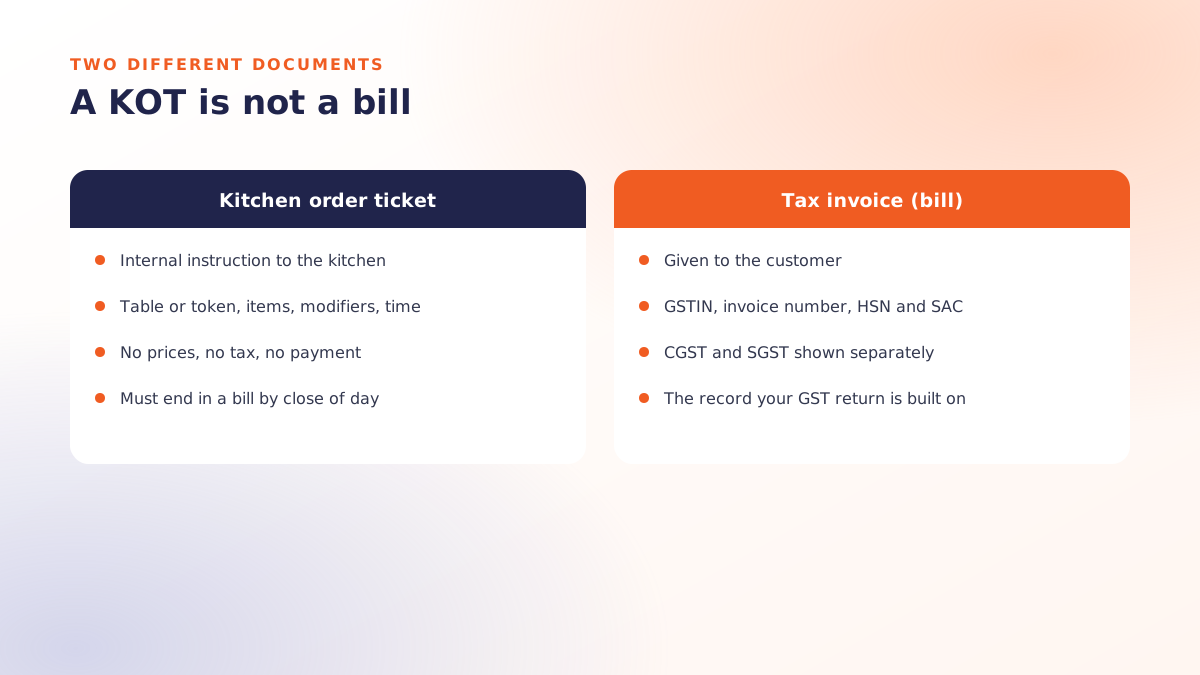
What it does not carry: prices, tax or payment. A KOT is an internal document. That matters more than it sounds, as the section on the KOT-without-bill problem explains.
Paper, printed or on a screen
| Handwritten slip | Printed KOT | Kitchen display (KDS) | |
|---|---|---|---|
| Speed to kitchen | Walk it over | Instant, at the station | Instant, at the station |
| Errors | Handwriting, lost slips | Low | Low, with timing visible |
| Record of the sale | None until billed | Tied to the bill | Tied to the bill, with prep times |
| Cost | Nothing, and it shows | A thermal printer per station | A screen per station plus licence |
Routing by station
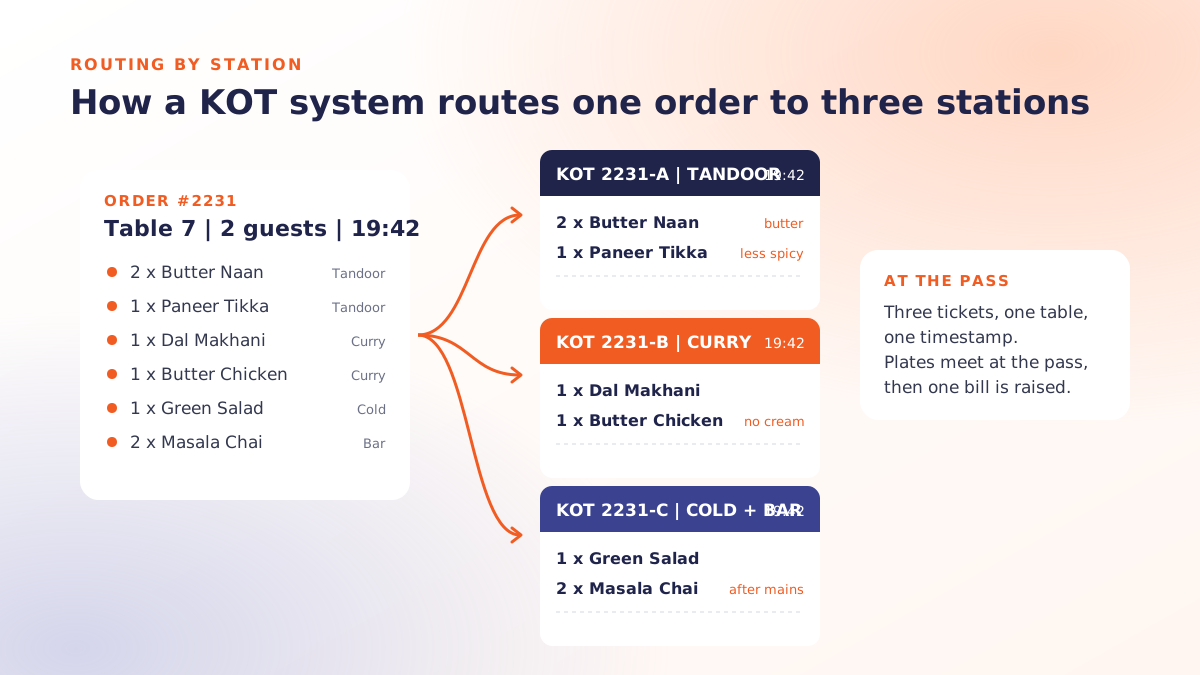
One order, several stations. The KOT system splits the order so the tandoor gets the breads, the curry section gets the gravies, the cold section gets the salads and the bar gets the drinks, each on its own ticket, all stamped with the same table and time. The pass then assembles them. Without routing, one printer spits out the whole order and a cook reads the tandoor items off a ticket that is mostly someone else's work.
Routing is configured once per item: this item prints here. Get it right during menu setup and it never needs touching again.
Courses and timing
A dine-in order should fire in courses: starters now, mains when the captain says "fire mains", dessert later. The KOT system holds the later courses and releases them on a tap, so the kitchen is not cooking a main course that will sit under the lamp for twenty minutes. In fast food the equivalent is priority: a KOT system that feeds counter, delivery and kiosk orders into one queue ordered by promised time.
Changes and cancellations
Guests change their minds. The system should let a captain add to an open KOT (a new ticket marked "additional"), modify an item before it is cooked, and cancel with a reason code and an approver's name. The cancellation should print at the station so the cook stops. Every one of those events should appear in a report the owner reads at month-end, because the void log is where kitchen waste and counter fraud both show up first.
The KOT-without-bill problem
This is the oldest trick in the trade. A KOT is sent, the food is served, the guest pays cash, and no bill is ever raised. The sale never exists: no GST, no record, and the cash goes wherever it goes. Any KOT system worth using makes this visible: open KOTs that have not been billed by close of day appear in a report, and settling a table without a bill is impossible. If you take one thing from this article, take that.
Printer setup that survives a kitchen
- Thermal printers, 80 mm at the counter; a sturdier kitchen model at hot stations. Oil and heat kill cheap printers.
- Network printers rather than USB, so any billing terminal can reach any station.
- Local network, not cloud-routed. A KOT must reach the kitchen when the internet is down; see offline POS billing.
- Buzzer on, autocut on, and a spare roll at every station.
- A UPS on the router, the billing terminal and at least the counter printer.
The numbers a KOT system gives you
- Ticket time per station: from KOT sent to KOT bumped or bill raised.
- Items cancelled after firing, by reason and by staff member.
- Open KOTs at close, which should be zero.
- Prep time by dish, which tells you which menu items are quietly slowing the kitchen.
Where Qmanja fits
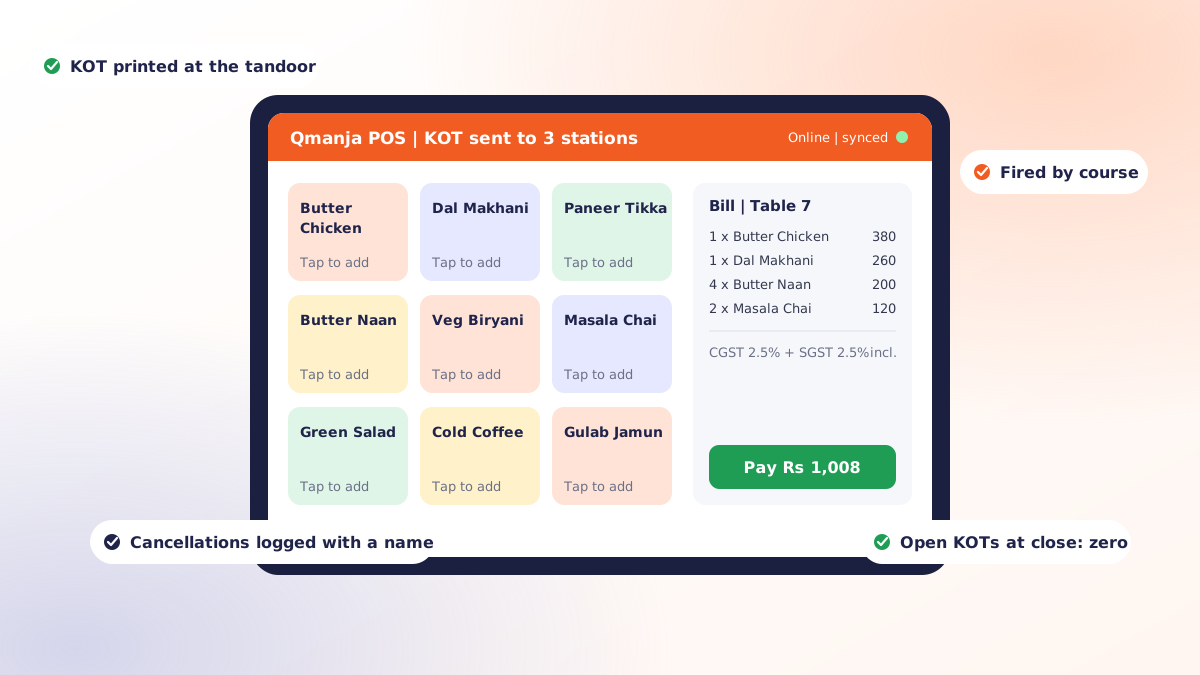
Qmanja POS routes KOTs by station, fires by course, prints additions and cancellations at the station with a reason and approver, keeps printing through an internet outage, and reports open KOTs, void logs and ticket times. It is part of the same product as the restaurant billing software, so a KOT can only ever end in a bill. To see it with your own stations and printers, book a free demo.
 Dine-In, In-Car, Delivery & Pickup
 Smart Billing & Tax
 KOT & Kitchen Workflow
 Inventory & Reports
 Fast Order Processing