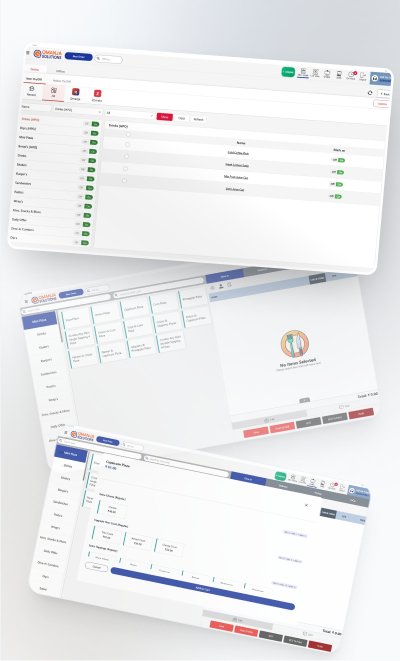
A fast food counter is judged on one number: orders cleared per hour. A fast food billing system is therefore not a smaller restaurant billing system, it is a different tool with a different job: get the bill out and the ticket to the kitchen in the fewest possible taps, keep the queue informed, and never stop. This is what that takes.
Why fast food billing is a throughput problem
A dine-in restaurant bills a table once, after an hour. A burger counter bills every ninety seconds, and every extra tap on the screen is multiplied by every order in the rush. A billing screen that takes six taps for a meal combo instead of one costs the counter five taps, roughly four seconds, per order. Across a 300-order lunch that is twenty minutes of queue, which is customers walking out at the door.
So the questions to ask a fast food billing software vendor are not about features. They are about taps, seconds and what happens when the internet drops.
The counter screen
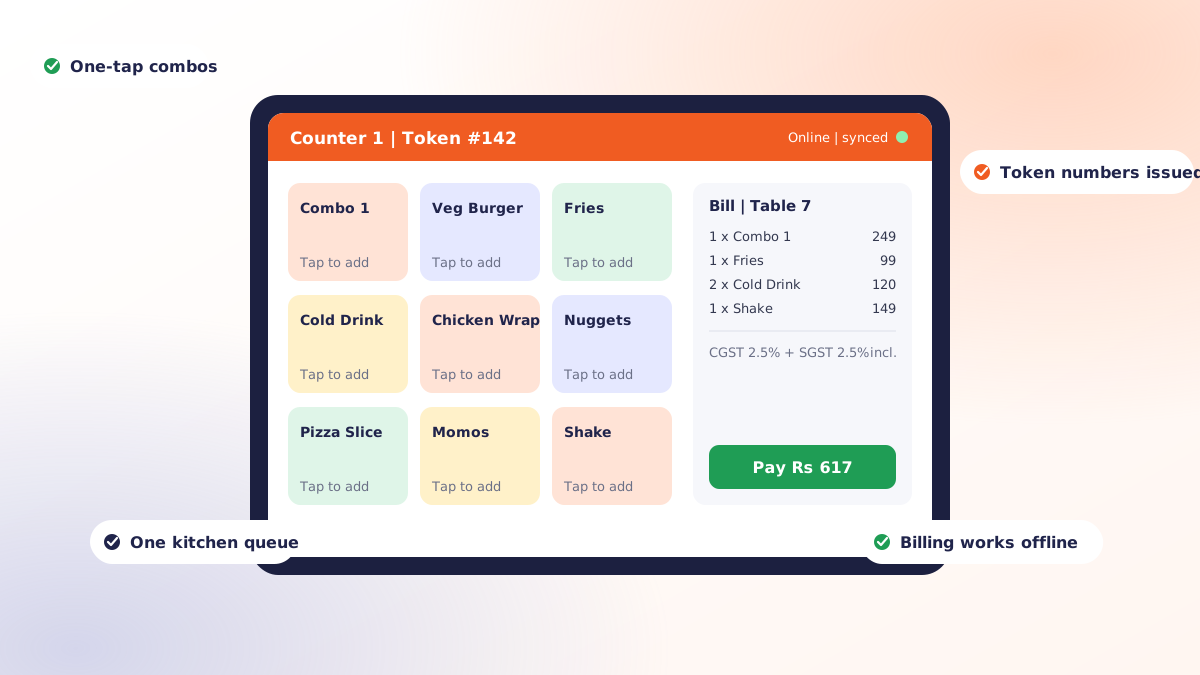
- Combos as single items. A meal deal is one button with its own price and its own recipe deduction. Upgrades (large fries, extra patty) are one more tap, not a new order.
- Modifiers that do not open a form. No onion, extra cheese, spicy: a tap on the item, a tap on the modifier, done.
- Favourites on the first screen. Your top twenty items should be visible without scrolling. Menu categories are for the manager, not the cashier at 1 pm.
- Pay-first flow. Fast food bills before the food is made, so the payment step has to be as fast as the ordering step: cash, card and UPI on one screen, a QR that does not need a separate device.
Tokens and the queue
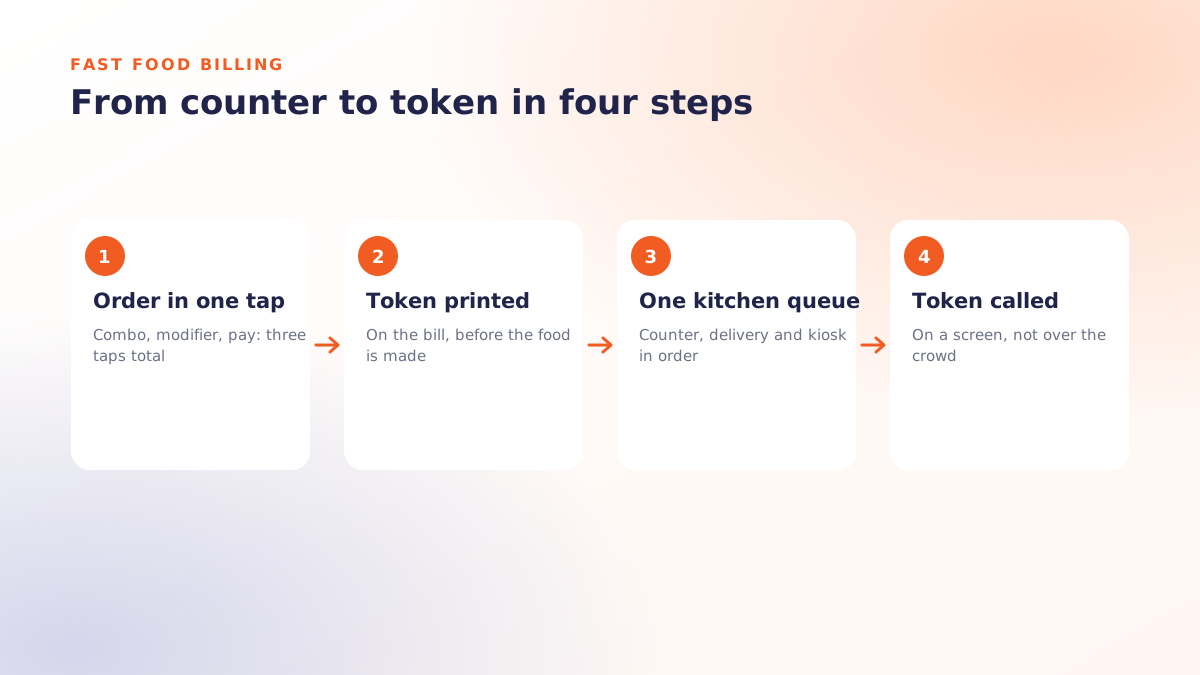
Calling names over a crowd stops working past thirty customers an hour. The billing system should issue a token number on the bill and push it to a display when the order is ready. This also gives you a number nobody else measures: the time between the token being printed and the token being called, which is your real service speed.
One kitchen queue for every channel
The counter, a delivery app, a self-order kiosk and a phone order all arrive at the same fryer. If each channel has its own tablet and its own printer, the kitchen prioritises whoever shouts loudest. The billing system must feed everything into one queue, ordered by promised time, so a delivery rider waiting does not stall the walk-in line behind him and vice versa.
This is also where KOT routing matters even in fast food: fries and drinks on the counter ticket, grilled items on the grill ticket, both stamped with the same token so they meet at the pass.
Kitchen printer or kitchen display?
| Kitchen printer | Kitchen display (KDS) | |
|---|---|---|
| Best for | Up to roughly 100 orders an hour, one or two stations | Higher volumes, several stations, delivery-heavy outlets |
| Cost | Low, one-time | Screen plus licence |
| What you get | A ticket per order | Tickets in order, colour by age, bump when done, timing reports |
| Failure mode | Paper jams, lost tickets in the rush | Needs power and a network to the screen |
Offline is not optional
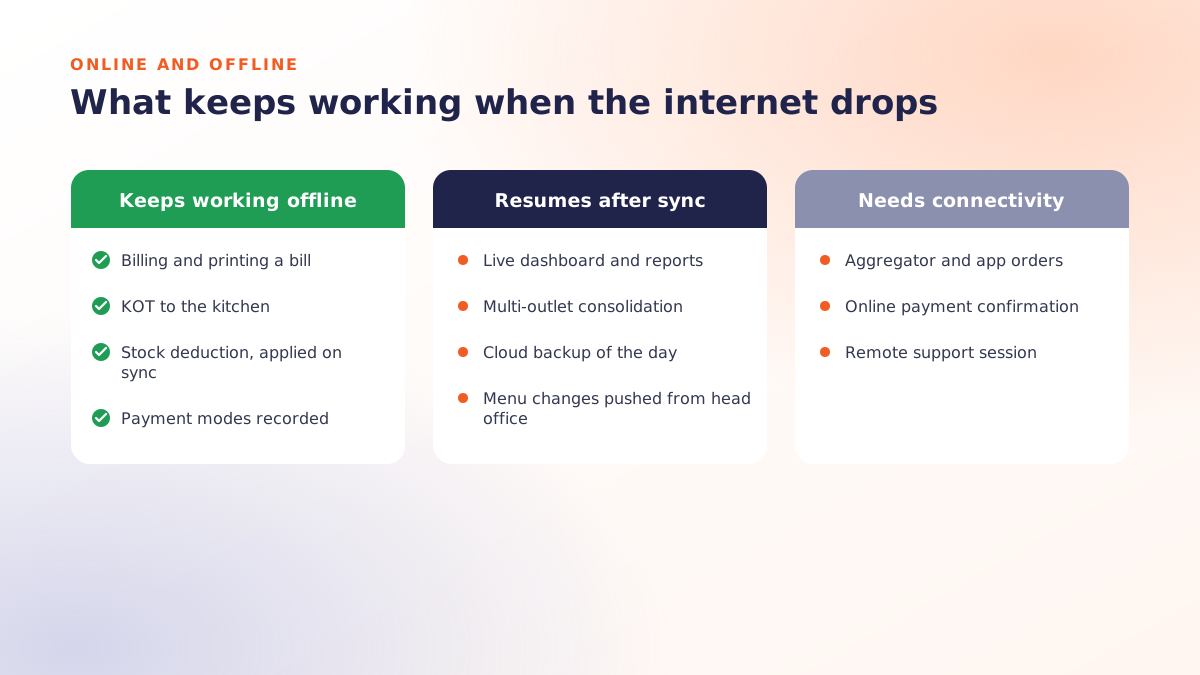
At fast food volumes an outage costs orders by the minute. Bills must price, print and record on the device and sync afterwards; the kitchen printer must be on the local network rather than routed through the cloud. Ask the vendor to demonstrate a bill with the router switched off. If they change the subject, that is your answer. The detail is in how offline POS billing works.
The numbers a fast food billing system should give you
- Orders per hour, by hour of day and by day of week, against staff on shift.
- Average ticket time from token printed to token called.
- Combo attach rate: what share of single items were upgraded to a meal.
- Channel mix: counter versus delivery versus kiosk, with the commission each one costs.
- Stock variance on the five ingredients that matter (buns, patties, cheese, fries, oil).
Hardware for a fast food counter
- A billing tablet or PC at each counter position.
- A thermal bill printer at the counter; a printer or display per kitchen station.
- A token display facing the customer, which can be any cheap screen or TV.
- A cash drawer if you still take much cash; a UPI QR standee otherwise.
- A small UPS. Tricity power does not ask before it goes.
Typical figures for each of these are in restaurant billing software price in India.
Where Qmanja fits
Qmanja's fast food billing software is the QSR layout of Qmanja POS: one-tap combos, automatic token numbers, one prioritised kitchen queue for counter, delivery and kiosk orders, hourly throughput reports and billing that keeps clearing the line through a network drop. Same product, same GST engine, a different first screen.
Bring your menu and your busiest hour to a free demo; we will count the taps with you.
 Dine-In, In-Car, Delivery & Pickup
 Smart Billing & Tax
 KOT & Kitchen Workflow
 Inventory & Reports
 Fast Order Processing