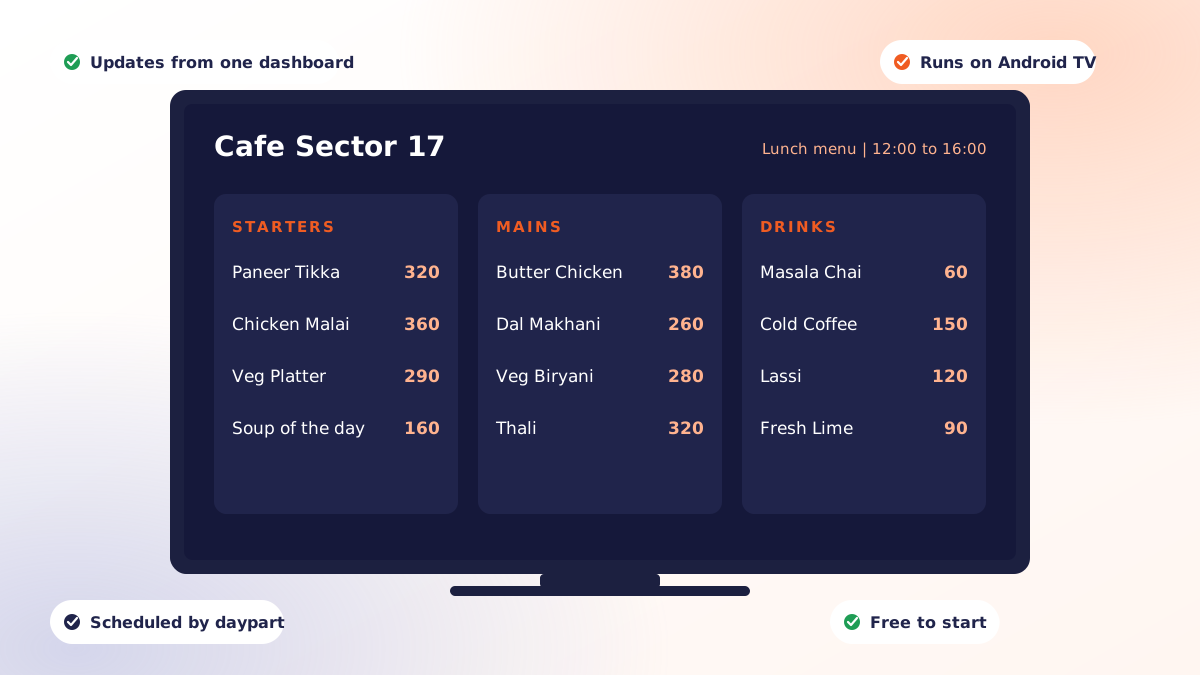
Digital signage software is the system that decides what appears on a screen, and when. You upload images, video or live links, arrange them into playlists and layouts, set schedules, and the software delivers all of that to a player device attached to each display. Cloud digital signage software does this over the internet, so one dashboard controls every screen you run, whether it is behind the counter in front of you or in a branch in another city.
The screen is the cheap part. The software is what turns a television into something that changes prices at 11am, runs a live match on game night and reverts to your dessert menu afterwards, without anyone walking over with a USB stick.
How the pieces fit together
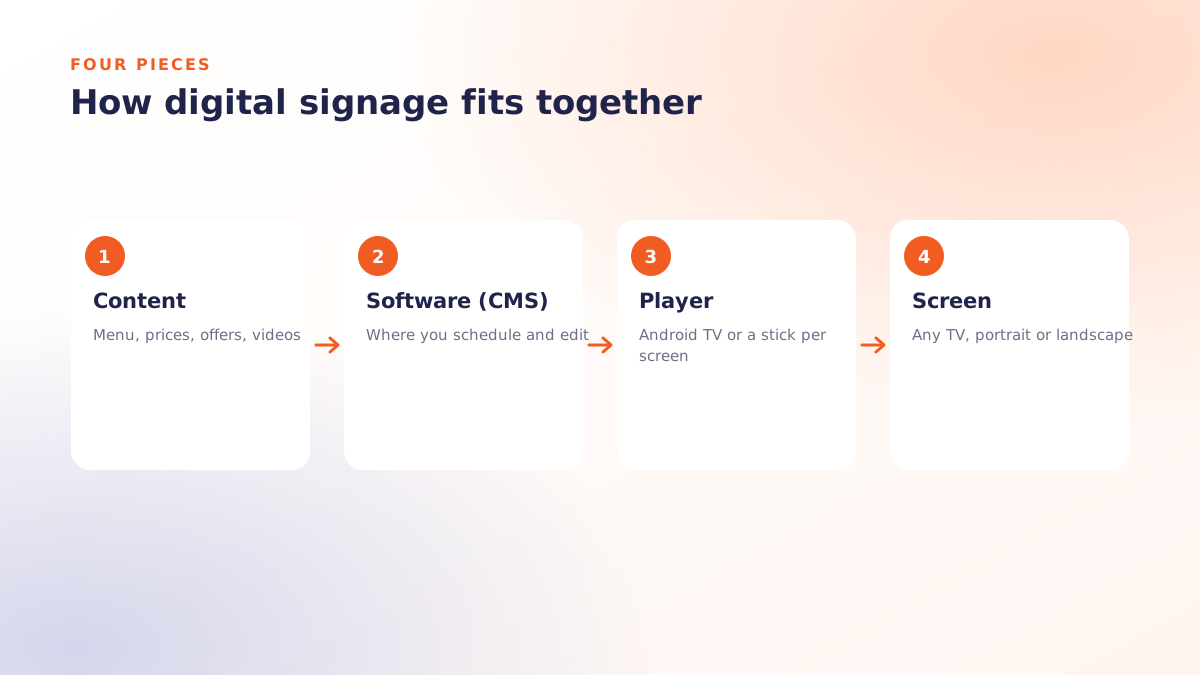
Every digital signage setup has three layers, and confusing them is the most common reason a project stalls:
| Layer | What it is | What it costs |
|---|---|---|
| Display | The television or panel on the wall | One-time, and you probably own one already |
| Player | The device that drives the screen: an Android TV box, Fire TV stick, mini PC or the display's own browser | One-time, often inexpensive |
| Software | The cloud dashboard, scheduling engine and player app | Per screen, per month, or free for a single screen |
Vendors who insist you buy their proprietary player are charging you for a layer the market has commoditised. A good platform runs on the hardware you already have.
What separates a good platform from a cheap one
Scheduling that understands a business day
Playing a loop is trivial. What matters is day-and-time rules: breakfast board until 11, lunch pricing until 4, happy hour after 6, with automatic clash detection so two schedules never fight over the same screen. Without this you are back to changing things manually, which is the problem you were solving.
Split-screen layouts
A single panel divided into independent zones, each running its own playlist or live stream. This is how one restaurant screen shows a static menu alongside a looping promo, or an office lobby shows a live dashboard next to announcements. Qmanja Signage supports up to twelve zones per screen, with per-zone fit, blur and rotation, and stores layouts proportionally so the same design fits any screen size or orientation without redesign.
Live streaming without a bandwidth bill
Most platforms pipe live video through their own servers and then meter it, so a match night becomes a line item. The better model streams directly from the source. Qmanja Signage plays YouTube, Twitch, HLS or any web source straight from the source to the player, so it starts instantly and costs nothing extra.
Offline resilience
Media should be cached on each player so a screen keeps playing its last published schedule through a network outage, picking up changes when the connection returns. A screen that goes black because the Wi-Fi blipped is worse than a printed poster.
Multi-location control
Screens organised into outlets and groups, so you can publish to one screen, one location, or every screen at once. Team members scoped to only the outlets they manage, and an audit trail recording who changed what.
What it costs
Across the market, cloud digital signage platforms typically charge somewhere between eight and thirty US dollars per screen per month. The variance usually comes from what is bundled versus what appears as a line item on the quote.
Features that are commonly charged as extras elsewhere, and where Qmanja Signage stands:
| Capability | Qmanja Signage | Typical platform |
|---|---|---|
| Free tier | 1 screen, free forever | 14-30 day trial |
| Proprietary hardware | Not required, use your own | Often a bundled media player |
| Live streaming bandwidth | Free, plays from the source | Metered or charged per stream |
| Split-screen zones | Up to 12 per screen | Frequently a premium add-on |
| Video walls | Up to 6 x 6, included | Separate video-wall licence |
| Offline playback | Cached on device | Varies, often cloud-dependent |
| Proof-of-play reporting | Included on paid plans | Commonly a paid module |
"Typical platform" describes pricing and packaging patterns common across the digital signage market in 2026, not any one named vendor. Always confirm current terms with each supplier.
Starting free, properly
Free digital signage software is worth being sceptical about, because "free" often means a trial, a watermark or a feature set too thin to evaluate. The version worth testing is one where a real screen runs indefinitely.
With Qmanja Signage your first screen is free forever, no credit card, and it includes image, video and audio playlists, live streams from YouTube, Twitch and HLS sources, clock, weather and ticker widgets, transitions, screen rotation and code-based pairing. Paid plans add unlimited screens plus the things that only start mattering once you run more than one: split-screen layouts, video walls, day-and-time scheduling, team roles, proof-of-play reporting and offline alerts.
Getting the first screen live
- Pair the screen. Open the player on any device and enter the six-character code into your dashboard. The screen claims itself to your account in seconds.
- Design the content. Upload media or add live links, arrange playlists, and build split-screen zones. Add a clock, weather or ticker.
- Schedule and publish. Set day-and-time rules, group screens or build a video wall, then publish. Every change reaches your screens immediately.
Around five minutes for the first screen. Later screens take under a minute because the content and layouts already exist.
Which devices it runs on
Android TV, Amazon Fire TV, Windows, macOS and any modern web browser are supported today, with iOS and iPadOS, Samsung Tizen and LG webOS in progress. One account covers every platform, and there is no proprietary media player to buy.
Where to go next
If you run a restaurant, the highest-return starting point is usually a menu board, which we cover in detail in digital menu boards for restaurants. For the full feature set and pricing, see Qmanja Signage.
 Dine-In, In-Car, Delivery & Pickup
 Smart Billing & Tax
 KOT & Kitchen Workflow
 Inventory & Reports
 Fast Order Processing