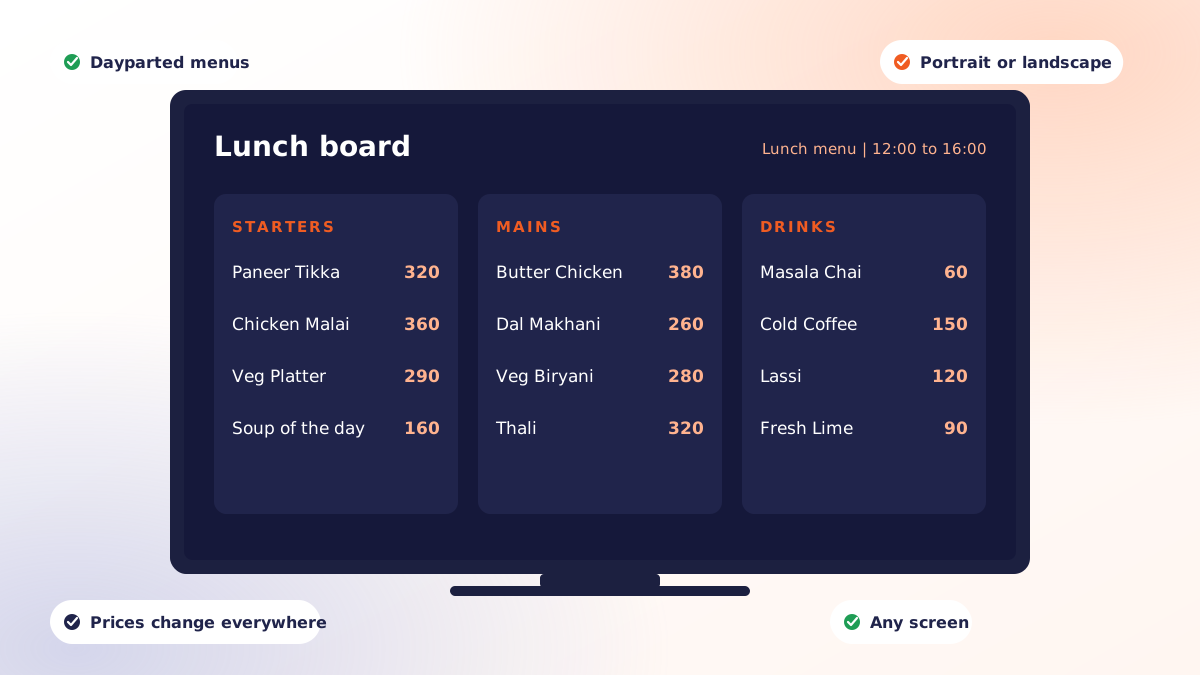
A digital menu board is a screen that displays your menu, driven by digital signage software rather than printed material. Prices, availability and promotions update from a dashboard, and the board changes automatically by time of day so the breakfast menu retires itself at 11 without anyone climbing a ladder.
Done well, that is worth real money: faster queue decisions, higher-margin items given prominence, and no more printing costs every time a supplier raises a price. Done badly, it is an expensive television that guests learn to ignore. The difference is almost entirely in the planning.
Start with the queue, not the screen
Before choosing hardware, stand where your guests stand. Note three things:
- Viewing distance from the back of a typical queue to the wall
- Decision time: how long someone waits before they order
- Light: direct sun, spotlights, or glare from a window opposite
These three numbers dictate text size, how much content you can rotate, and how bright the panel needs to be. Every menu board that fails, fails one of them.
How many screens, and in what orientation
Most counter-service restaurants land on two or three landscape screens above the till:
- Core menu, grouped by category
- Combos, add-ons and upsells
- Promotions, seasonal items or live content
A single screen works for a small cafe provided you keep the item count low enough to stay readable. Portrait suits narrow wall space and long single-category lists such as drinks. Whichever you pick, keep one orientation across a bank of screens; mixed orientations read as an accident.
Typography that survives a queue
The most common mistake is designing on a laptop 50cm away and deploying to a wall 5 metres away. A workable rule of thumb is about 2.5cm of text height for every 3 metres of viewing distance, applied to item names.
| Element | Guidance |
|---|---|
| Item name | Largest text on the board; scale to the back of the queue |
| Price | Same size or one step down, aligned in a consistent column |
| Description | Optional and small; cut it entirely if the item is self-explanatory |
| Category headers | Distinct colour or weight, not just larger text |
| Items per screen | Aim for 7 to 10; beyond that people stop reading and ask staff |
Contrast matters more than brand colours. Light text on a dark background generally reads better on an illuminated panel, and it uses less power.
Dayparting is where the value is
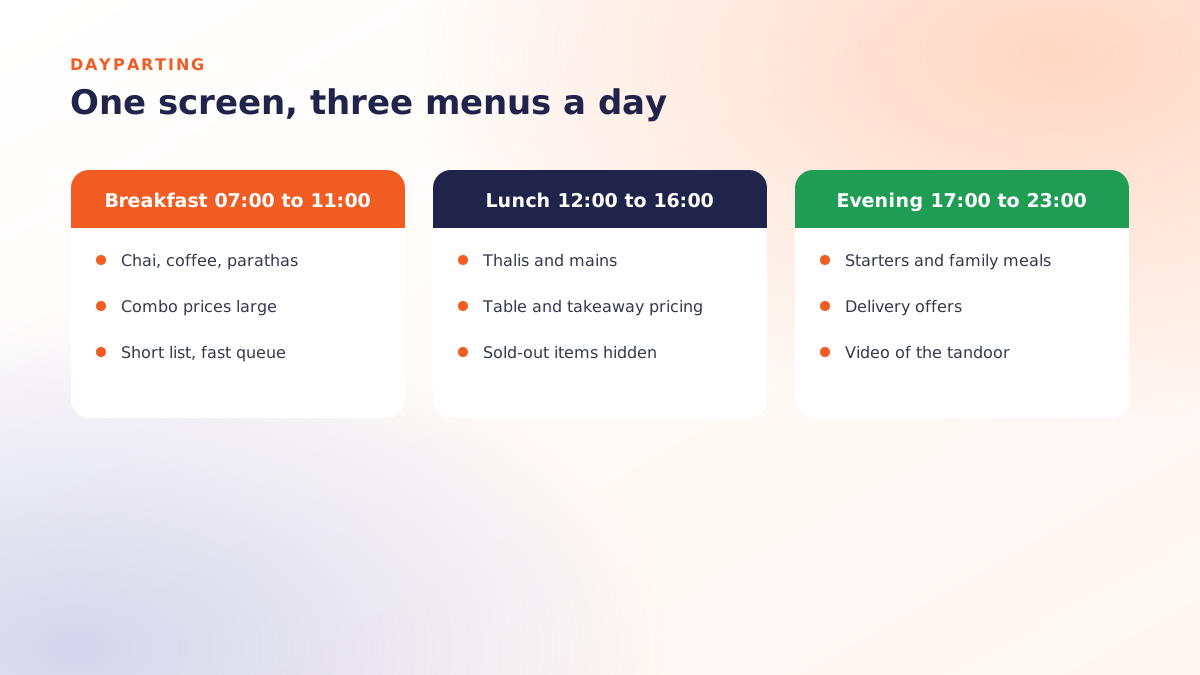
A static digital menu is just a costly poster. The return comes from scheduling: breakfast board until 11, lunch pricing until 4, evening menu after 6, and a late-night short menu when the kitchen scales down. Configure it once with day-and-time rules and it runs itself.
Two rules keep this from going wrong. First, use automatic clash detection so two schedules never fight over the same screen. Second, make sure the board and your POS share one source of truth for prices. A screen advertising a price the till does not charge is worse than no screen.
Hardware, honestly
You need a display and a player. You almost certainly do not need a purpose-built commercial signage appliance to start.
- Display: a consumer television is fine for indoor use in normal lighting. Commercial panels earn their premium in bright, sunlit or 24-hour environments.
- Player: an Android TV box, Fire TV stick, mini PC, or the display's own browser. Qmanja Signage supports Android TV, Fire TV, Windows, macOS and any modern browser, with iOS, Samsung Tizen and LG webOS in progress.
- Mounting: plan cable routing and a reachable power switch before you drill. Screens that are hard to reach do not get maintained.
- Network: wired ethernet where you can; a screen on marginal Wi-Fi is a support ticket waiting to happen.
Because media is cached on the player, a brief outage does not blank the board: it keeps playing the last published schedule and picks up changes when the connection returns.
Mistakes that make a board ignorable
- Animating everything. Constant motion makes prices hard to read. Animate one zone, keep the menu itself still.
- Rotating the core menu. If a guest has to wait for their item to come back around, you have added friction, not removed it. Rotate promos, not the menu.
- Photographs of every item. One or two hero images sell. Twelve turn the board into wallpaper.
- Leaving sold-out items up. Availability should reflect reality, ideally from the same system that knows stock.
- No owner. Assign one person responsible for the boards. Screens without an owner drift out of date within a month.
Beyond the menu
Once the boards work, the same screens can carry more: a live match on game nights next to your offers in a split-screen layout, a queue-position display, or a promotion for your ordering app at the exact moment a guest is standing in line thinking about the wait. This is where split-screen zones and live streaming stop being features on a list and start being revenue.
You can run your first screen free, forever, with Qmanja Signage. If you want the wider background on how the software layer works, read digital signage software explained.
 Dine-In, In-Car, Delivery & Pickup
 Smart Billing & Tax
 KOT & Kitchen Workflow
 Inventory & Reports
 Fast Order Processing